
Before you start
How to choose a photo for a memorial portrait
The best photo is not always the sharpest one. It is the one that looks most like them. Here is how to find it, and how to make the most of what you have.
Updated October 26, 2026
Start with the face you remember
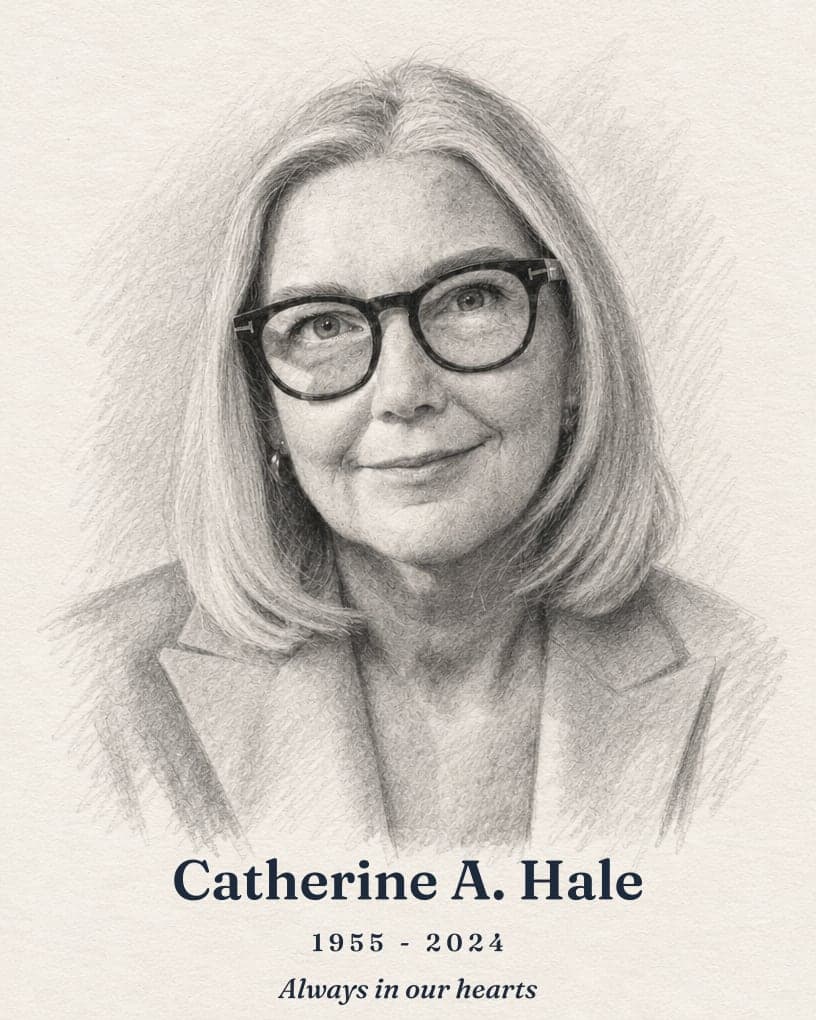
Before you think about light or sharpness, think about expression. A portrait keeps one moment of someone's face, and you will look at it for years. Choose the photo where they look like themselves: the half smile they gave at the kitchen table, the way they tilted their head when they listened.
It helps to gather a few candidates first. Look through phone albums, social media, the shoebox of prints and the frames already on the walls. Ask a sibling or a friend which one they would pick. Often two people choose the same photo for different reasons, and that tells you something.
A recent photo is not required. Some people choose a picture from twenty or thirty years ago, because that is how they want to remember them. Others choose the most recent one, because it is the face the grandchildren know. Both are right.
What makes a photo work well?
A few things make a real difference to how clear the portrait can be:
- The face is easy to see. Facing the camera or turned a little to one side works best. A full profile or a face half in shadow gives less to work with.
- The face is not tiny. In a big group photo, their face may be only a few dozen pixels wide. A closer photo, even a less flattering one, usually holds more detail.
- The light is soft and even. Daylight from a window or an overcast day is kind to faces. Hard sun can leave deep shadows across the eyes.
- The eyes are visible. Sunglasses hide the part of the face people look at first. Everyday glasses are fine.
- Nothing covers the face. A hand, a cup, a hat brim or another person's shoulder in front of the face takes away detail that cannot be recovered.
Clothing, background and other people in the photo matter less than you might think. In a single portrait, the focus is on them. If you want everyone in the picture together, read our guide to adding a loved one to a family photo.
Can I use an old print or a photo of a photo?
Printed photos from an album or a frame work well. You do not need a scanner. Take the print out of its frame if you can, since glass reflects light. Lay it flat on a table near a window in daylight, hold your phone straight above it, and take the picture so the print fills the screen. Turn off the flash.
Small marks, faded color and a little grain are fine. What matters most is that the face is in focus in the original. If a print is badly creased across the face, try to find another copy: a cousin or an old friend may have the same photo.
If the only photo you have is on a phone, send the original file rather than a screenshot. A screenshot of a photo in a message thread is often much smaller than the photo itself.
What if I only have one photo?
One clear photo of their face is enough. Choose the original from your camera roll, not a screenshot, and pick the one that looks most like them.
If your only photo is small or blurry, send it anyway. We will tell you before you pay anything if it is too small or too unclear to make a good portrait. Your free preview is the honest test: you see the result first, and you only pay if it looks like them.
A quick checklist
- It looks like them, in a way you want to remember.
- Their face is clear, in focus and not covered.
- The light on their face is soft, without deep shadows.
- If it is a print, it was photographed flat, in daylight, without flash.
- If it is on a phone, it is the original photo, not a screenshot.
When you have it, choose a style. Watercolor is soft and bright, pencil and charcoal is quiet and calm, and classic oil is rich and formal. You can see all three side by side on our memorial portrait from a photo page.